Your studio's own app.
Booking to payroll.
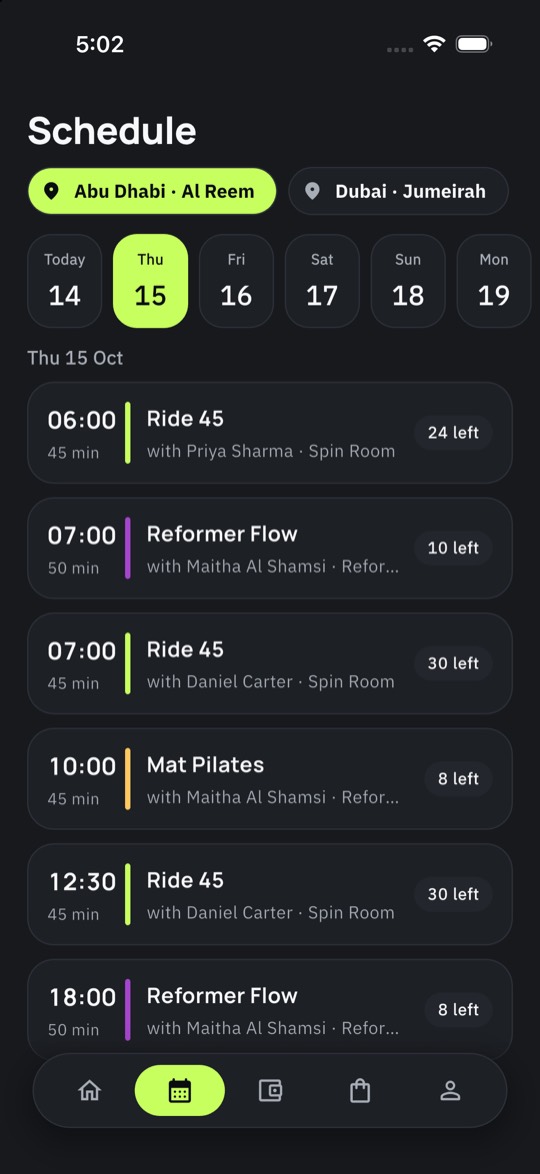
Members book the class and choose the bike. The desk sells merch and café from one stock list. Coaches get paid from the roster. Room screens run from a phone. It ships under your name, multilingual with right-to-left support, on your own payment account.
A Mindbody and Glofox alternative. Export-only migration, your numbers reconciled before go-live.
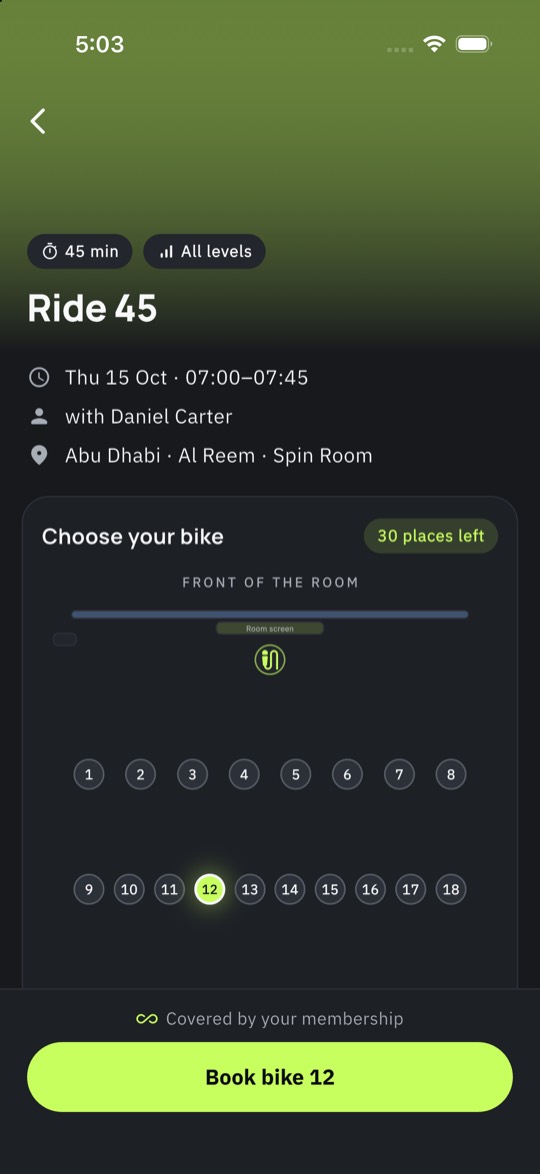
Book the class. Choose the bike.
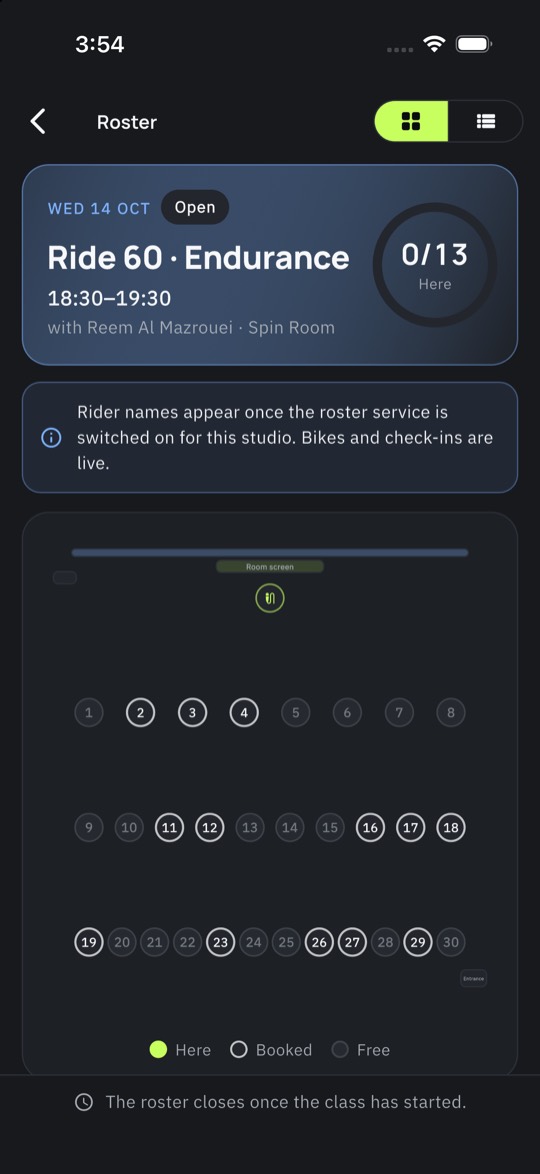
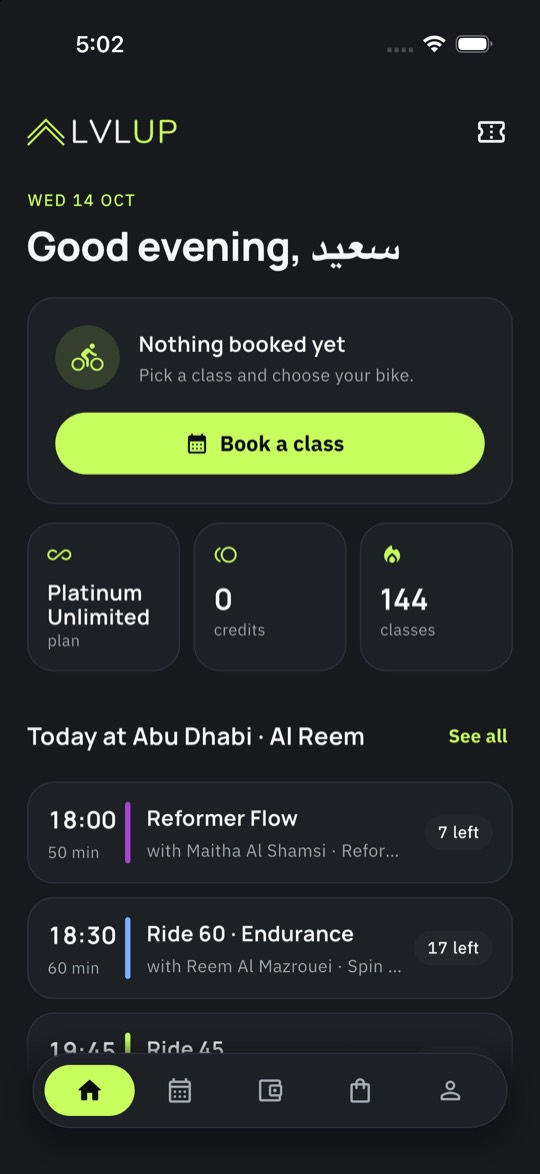
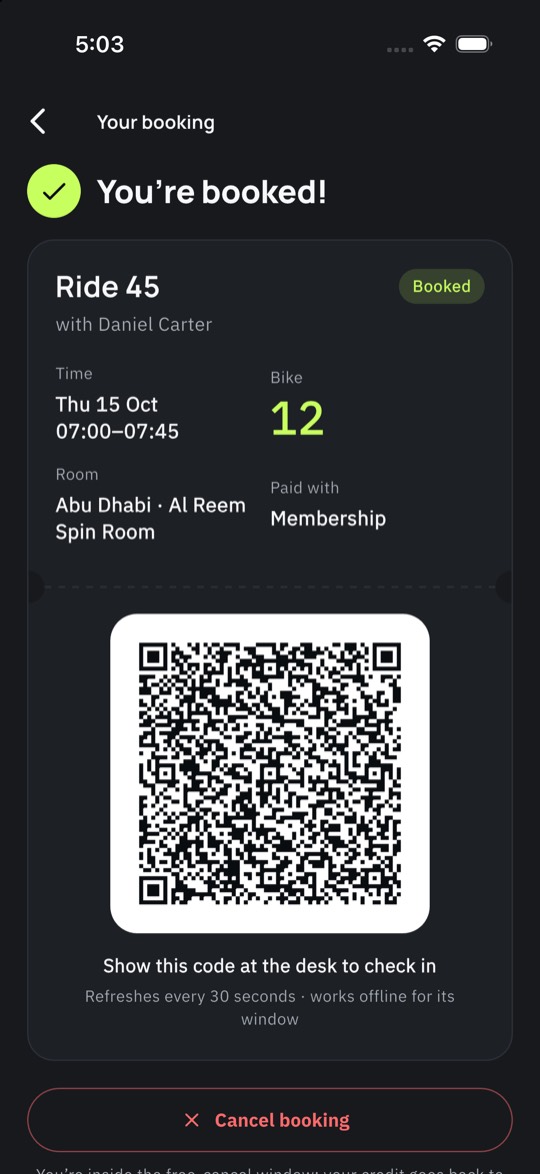
The room map is the real room: bikes, reformers or mats where they stand, live availability, favourites remembered. Windows open on time, waitlists promote themselves, and eighty riders hitting one class get eighty answers with no bike sold twice.
- Spot choice on the map. Favourite spots, buddy booking next to a friend, swap until the cut-off.
- Waitlist that works. Automatic promotion with a claim window, so a freed bike never goes to waste.
- QR check-in. The member's pass on their phone, the desk scanner or the coach's app. Late and no-show rules apply themselves.
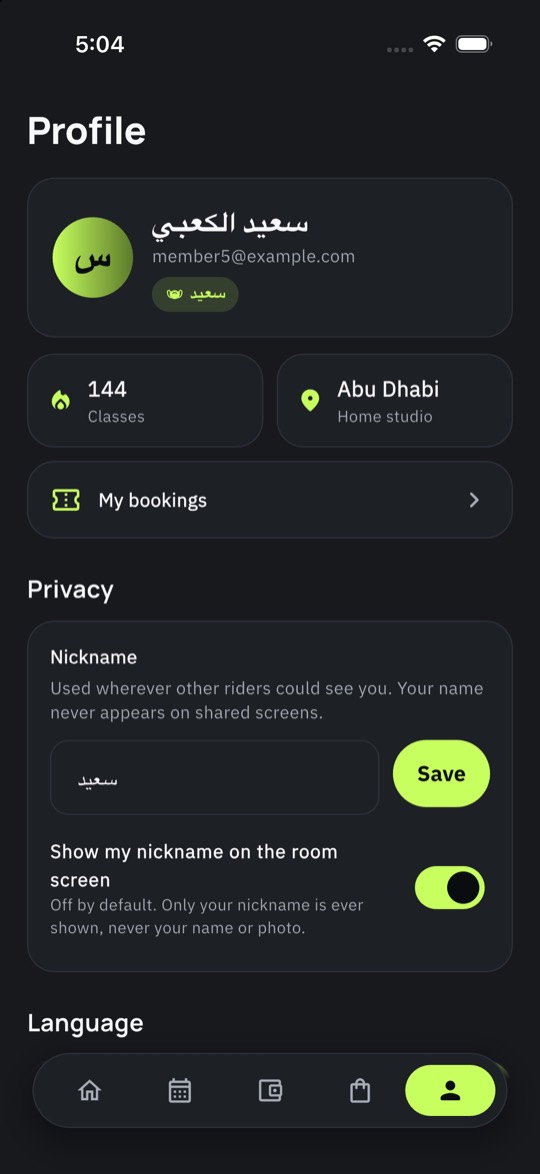
- Women-only by default. Nicknames on shared screens, no photos on the TV, rosters for staff only.
Plans that match how you sell.
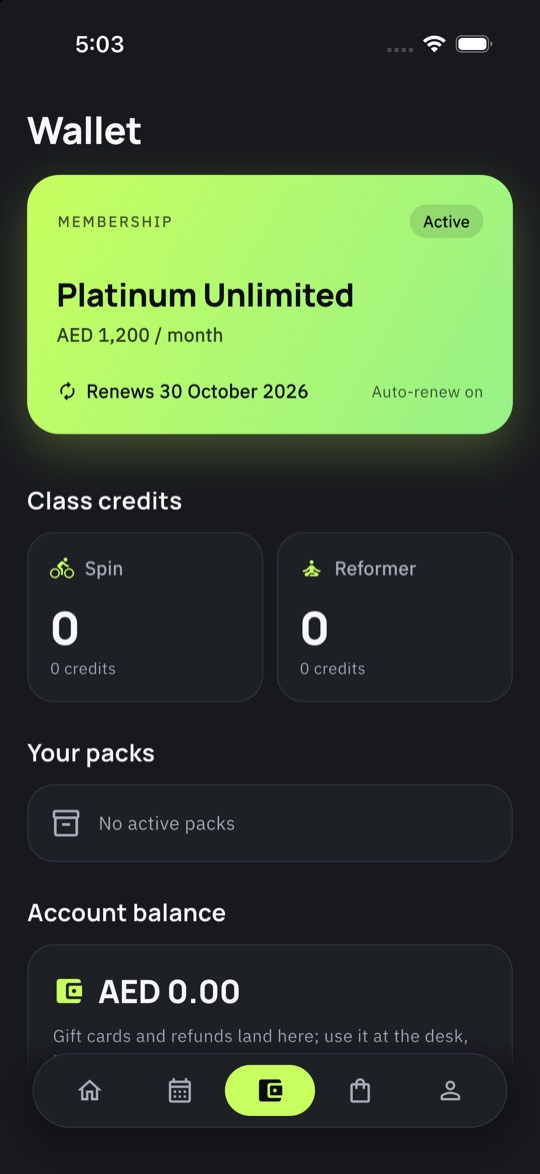
Unlimited, eight a month, ten-class packs, drop-ins, gift cards. Plans scoped to one branch, to a group of branches or to all of them, so a Platinum member books anywhere and a single-branch member sees why the other studio says no.
- Autopay and freezes. Renewals on the member's card, freezes with a reason and a return date, pro-rated upgrades.
- Credits and wallets. Class credits, store credit and refunds in one ledger that always balances.
- Branch-scoped access. Per-location, per-group or everywhere, enforced at booking time.
- VAT invoices. Numbered series per location, credit notes, exports your accountant will accept.
A staff app that fits a shift.
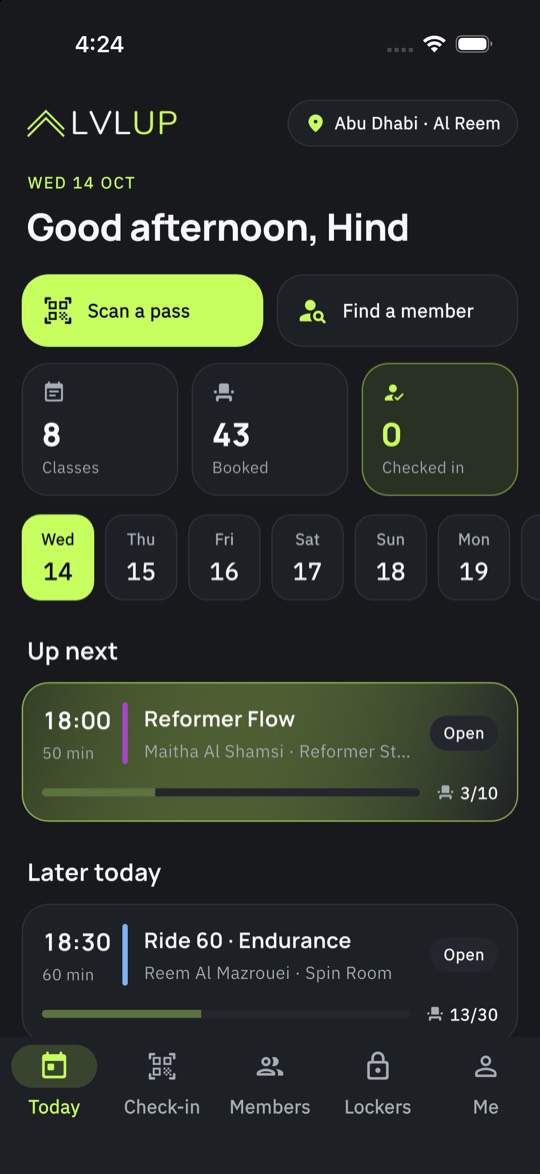
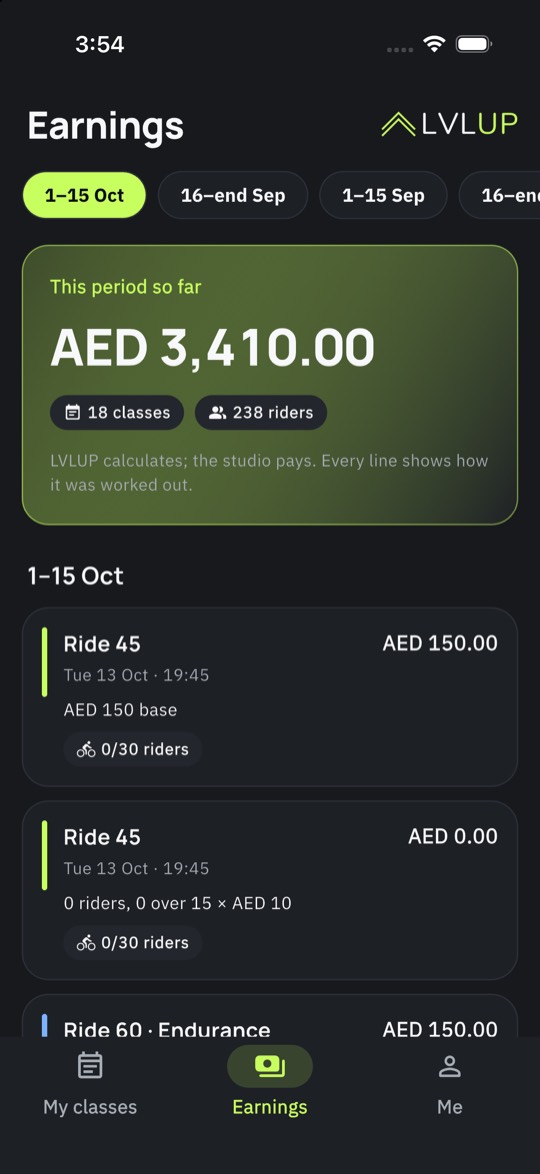
Reception sees the day, scans passes, pulls a member card, books for a walk-in and hands over locker keys. Coaches see their classes, the roster on the bike map by nickname, check riders in and watch their earnings grow as the period runs.
- Desk mode. Today's classes, QR scanner, member search, book or cancel for a member, lockers.
- Coach mode. Agenda, roster by spot, check-in, sub requests, this period's pay.
- Roles that mean something. Owner, manager, finance, desk, coach: each sees exactly what they need, two-factor for the money roles.
- Audited. Every privileged action runs on the server and leaves a trail, overrides included.
One stock list. Every counter.
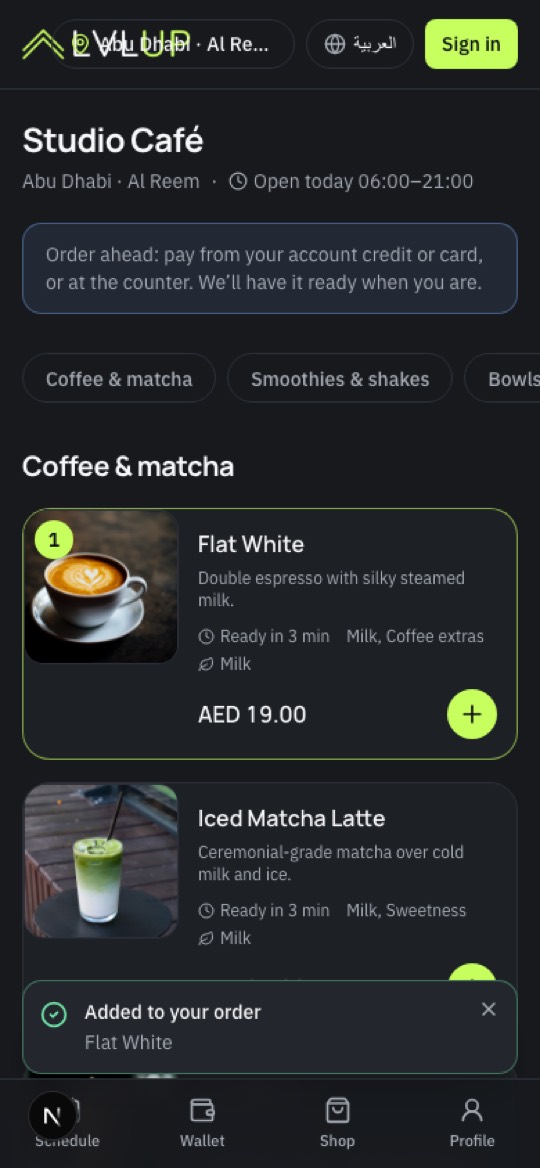
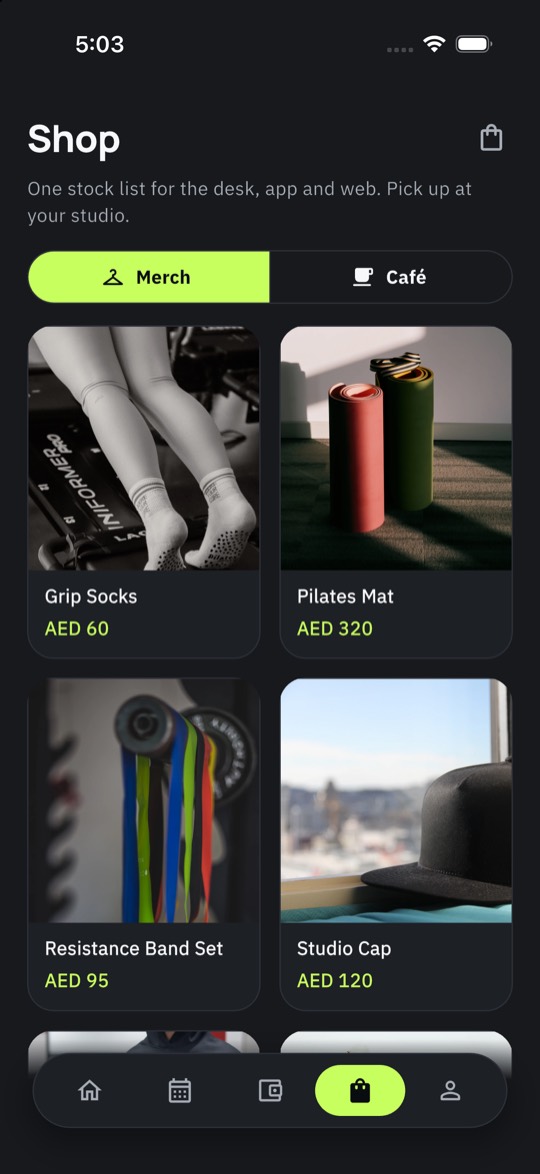
Merch, water, grip socks, the smoothie after class: one catalogue, one stock count, sold at the desk, in the app, on the website or ordered from a table QR and fired to the kitchen display.
- Desk sale. Cards, wallet, cash drawer, receipts with VAT, returns.
- App and web shop. Pick up at the desk or collect after class; stock updates everywhere at once.
- Café ordering. Options and extras, pay from the wallet, order status live, kitchen display for the team.
- Suppliers and lots. Receive stock, track lots and expiry, see what sells.
Coach payouts from the roster.
Per class, per head, tiered by attendance or a flat rate: pay rules run on the closed rosters, periods close on time, and the owner approves a payout sheet that already matches the attendance. Switching studios run their last payroll through LVLUP first and compare the two.
- Pay rules per class type. Base plus per-rider, bonuses above a threshold, subs and no-shows handled.
- Payroll comparison. Upload your last reports; LVLUP shows every line that differs before you trust it.
- Receivables, disputes, payouts. Failed renewals chased, chargebacks tracked, Stripe payouts reconciled.
- Reports that answer questions. Fill by hour, at-risk members, revenue by location, exports to your accountant.
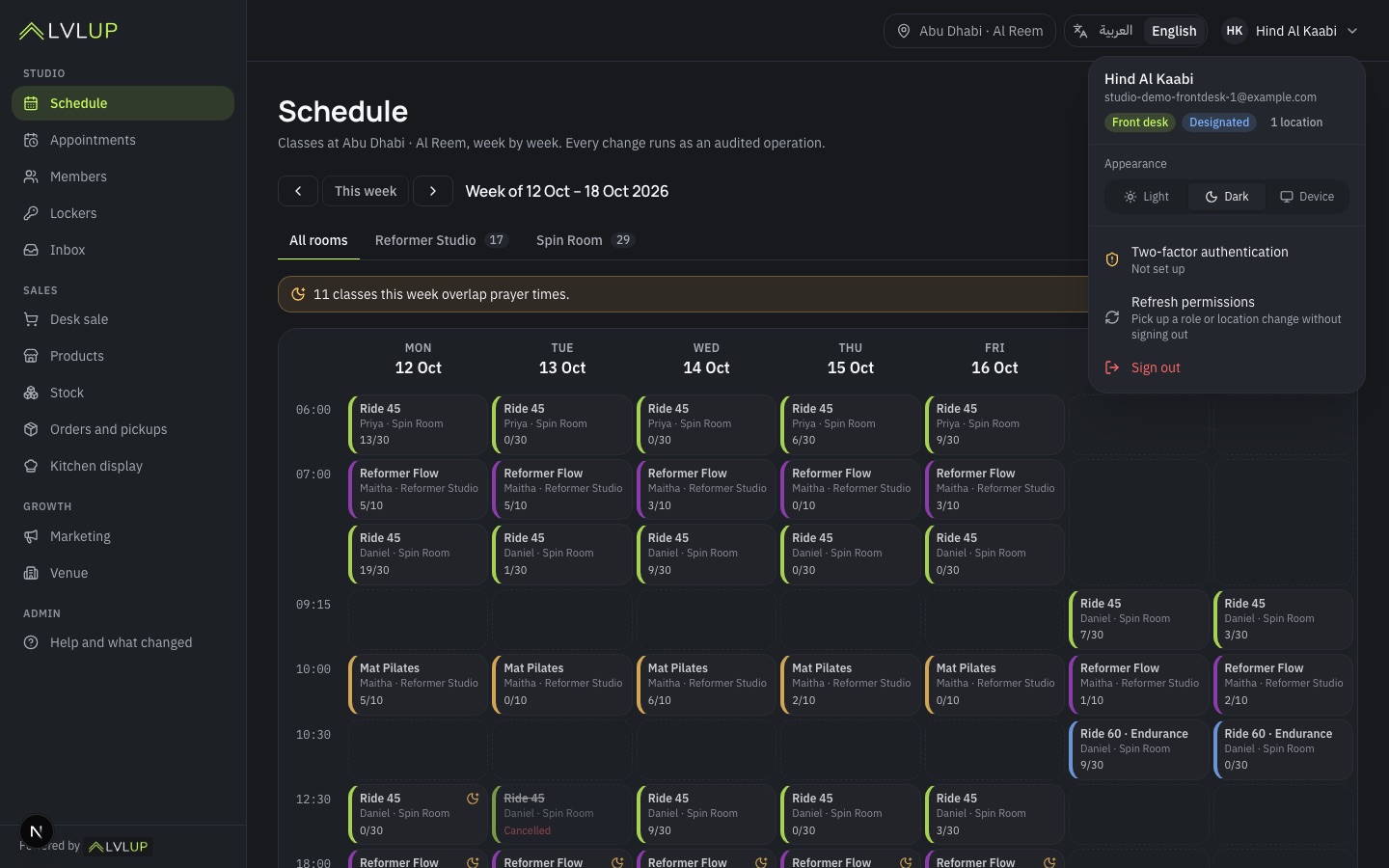
The TV follows the coach.
A branded screen per room, paired with a code, driven from the coach's phone: spin rides with bike numbers only, HIIT circuits with timers, strength stations, a lobby board between classes. Workouts are built once in the dashboard and assigned to classes.
- Workout builder. An exercise library with photos, templates per class type, assigned to the schedule.
- Tracklists. Coaches build the ride's playlist; riders get it after class with listen links to Apple Music, Spotify and Anghami.
- Studio playlists. Connect the studio's own Spotify or Apple Music account: import playlists, send tracklists back. LVLUP streams nothing.
- PT and programmes. Appointments with coaches, multi-week programmes members follow and log.
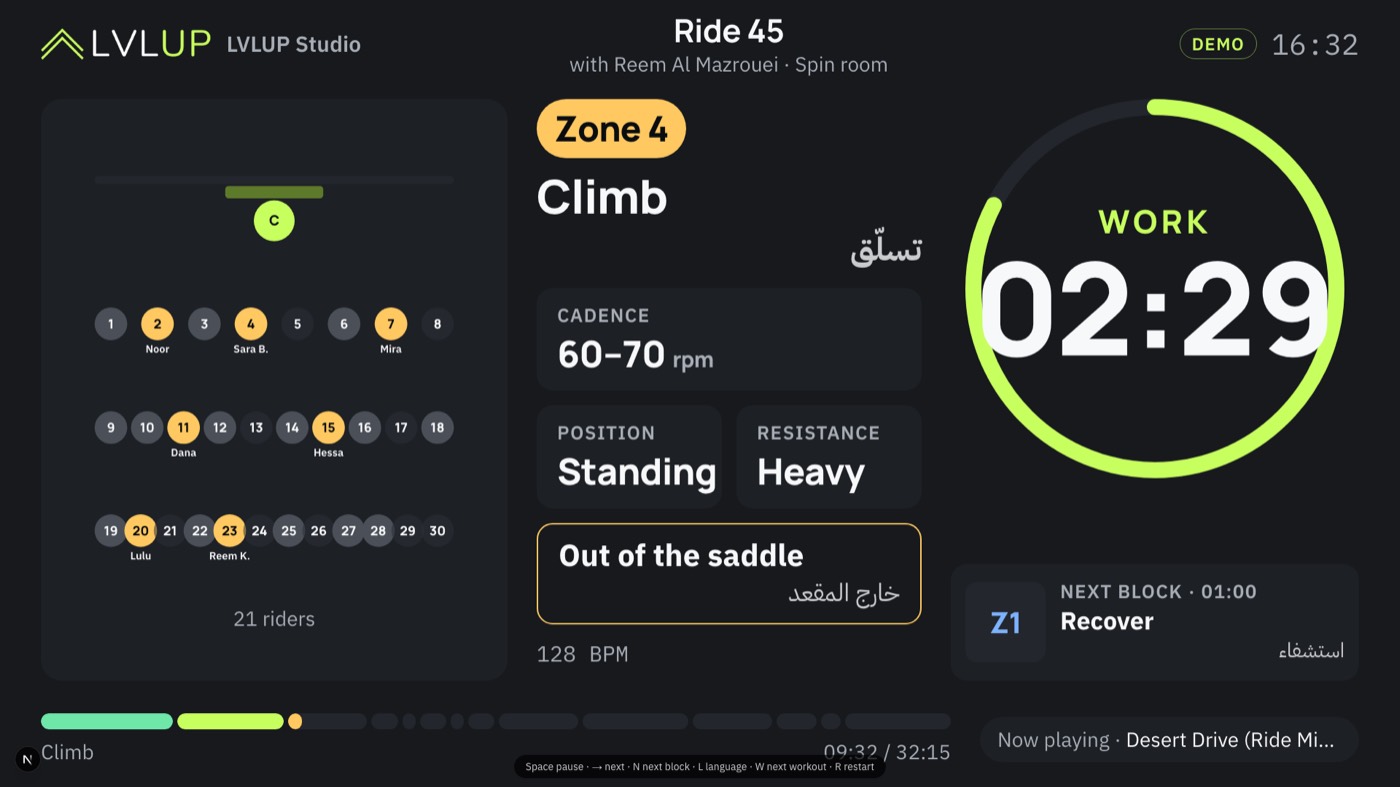
It ships as your product.
Your logo, colours and fonts on the member app, the staff app, the website, the dashboard and the room screens, light and dark. Your own cloud project, nothing shared with another studio. Your own Stripe account, so you are the merchant of record and LVLUP never touches the money.
- Your app listing. An update to the app your members already have, under your developer account.
- One project per studio. Members, bookings and payments live in your own database, in the region you choose.
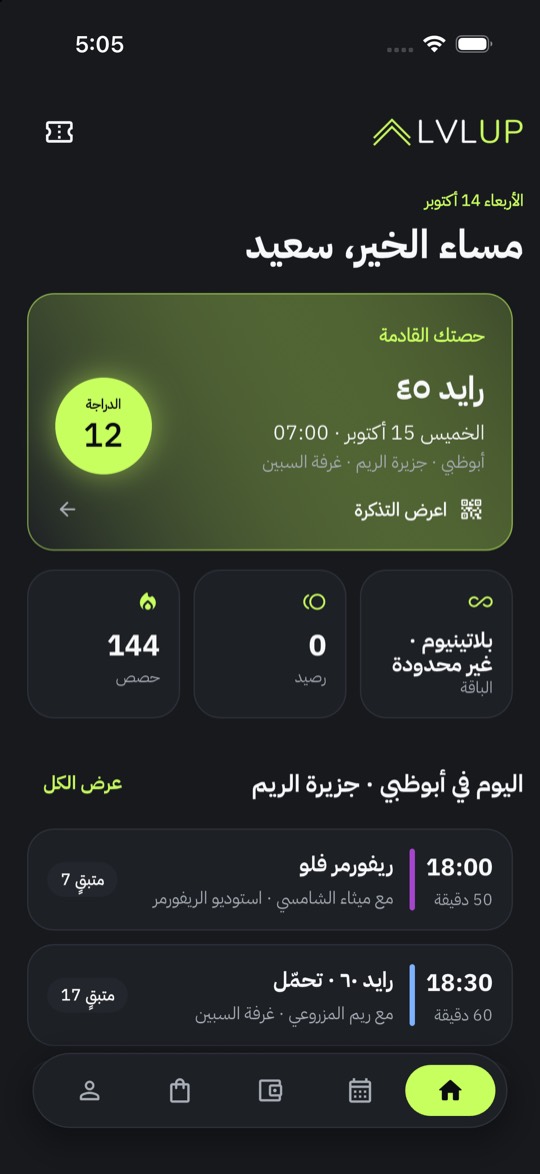
- Multilingual, right-to-left done properly. Every screen flips for right-to-left languages; Arabic and English ship first, more languages per studio, with the authoritative language set per market.
- Export-only migration. Your Mindbody or Glofox exports in, members claim their accounts by e-mail, numbers reconciled before go-live.
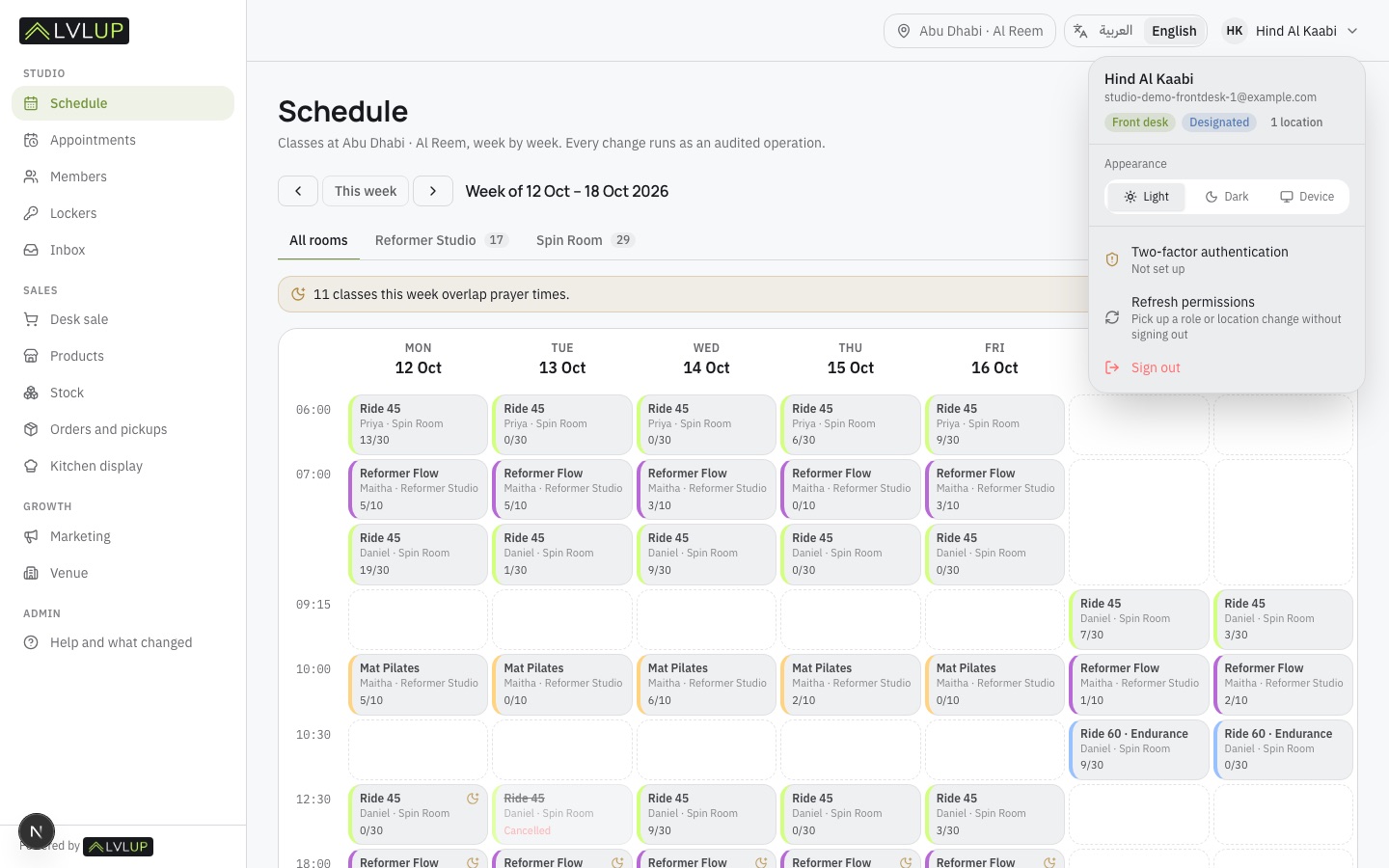
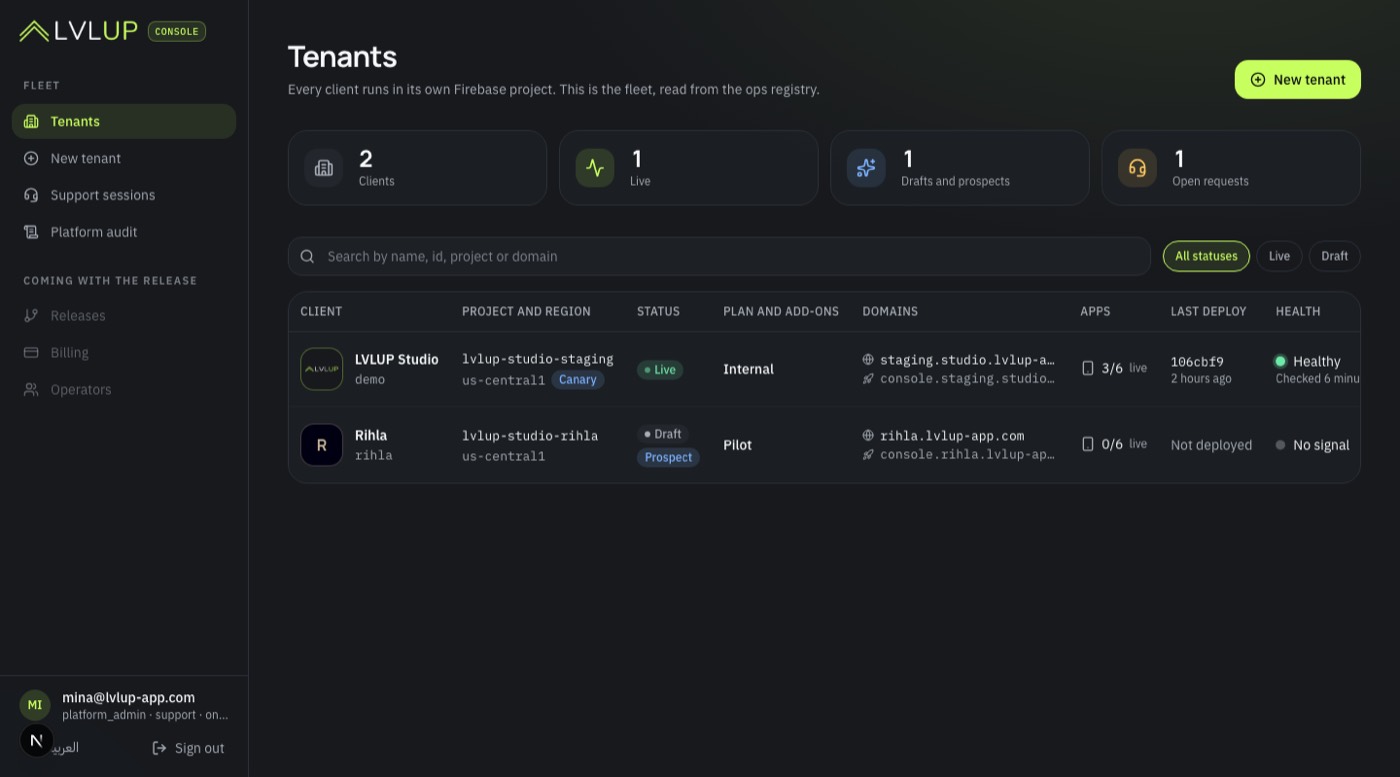
Same product. Three studios, three apps.
Logo, palette, type, corner radius, layout and language come from each studio's configuration, not from a rebuild. These three are invented to show the range; a real studio brings its own brand kit.
- Member app, staff app, booking website, dashboard, room screens and e-mails all take the brand.
- Published under the studio's own store listing; an existing listing gets an update, members keep their app.
- Light and dark, the display face where it belongs, Arabic and right-to-left layouts mirrored properly.
The demo studio, as it runs today.
Member app and staff app on the demo studio. Your version swaps the logo, the colours and the fonts from configuration, not from a rebuild.
Three steps, no overlap period.
- 1
Export
Your staff export members, pricing options, active memberships and balances, the schedule and the last three payroll reports. No API access to your old system is ever needed.
- 2
Import and reconcile
LVLUP imports everything with a dry run first, your team signs off, and your last payroll is recomputed and compared line by line.
- 3
Go live
Your app listing updates, the website switches, members claim their accounts by e-mail, and the desk opens the next morning on LVLUP.
See it with your classes on it.
Tell us about the studio and we set up a walkthrough of the member app, the staff app and the dashboard with your class types, your rooms and your brand on them. For a first studio in each city we build the switch at no software cost.
- 45 minutes. Owner and front desk together is ideal; coaches welcome.
- Your data. Bring an export if you have one; the numbers make the demo real.
- Straight answers. What is included, what switches on with outside approvals, what is not there yet.
The ones we always get.
Is this a separate product from LVLUP for coaches?
Yes. LVLUP Studio is built for class studios and gyms: scheduled classes with spots, memberships, a front desk, POS, coach payroll and room screens. Coaches running one-to-one programmes stay on LVLUP.
Does it replace Mindbody or Glofox?
That is the point. Booking with spot choice, memberships and packs, merch and café from one stock list, coach payouts, reports, a branded member app and staff app, a booking website and TV room screens, all from one place.
Who holds the money?
You do. Payments run on your own Stripe account, the studio is the merchant of record and LVLUP takes no cut of your sales. Our fee is the software.
How does the switch work?
You export from your current system, we import members, memberships, balances and the schedule, and we run your last payroll through LVLUP to match the numbers before you go live. Your existing app listing gets updated, so members keep the same app.
Women-only studio?
Built in. Nicknames instead of names on shared screens, no photos on the TV, staff-only rosters, and separate consent for health and heart-rate data.